
How to make Federal Board practice papers in Xpert7Academy
Prepare Federal practice papers for Classes 6–12. Check your book, choose chapters and questions, plan marks and review the PDF against your teaching goals.
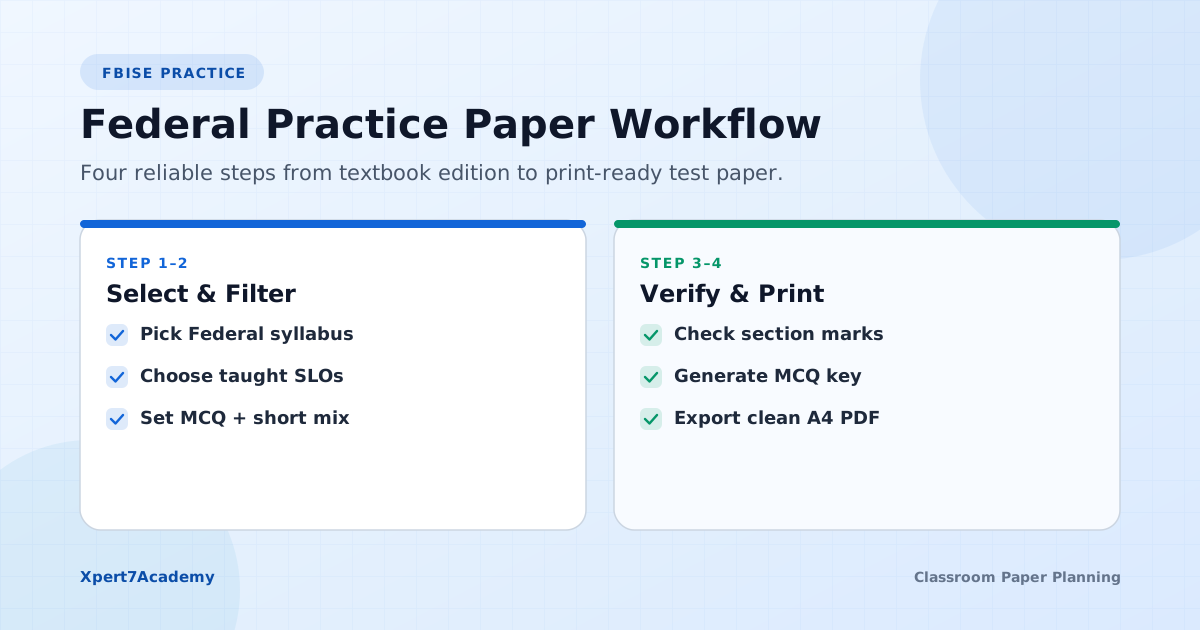
You open a paper maker, find your subject, and then notice that its chapters do not match your textbook. That is a frustrating place to start. Xpert7Academy now includes a separate Federal selection for Classes 6 to 12, so you can inspect the relevant books before assembling a practice paper. The useful first step is still a book check: the correct class and subject name alone do not establish that the material fits your lesson or an FBISE examination.
Check Federal coverage before opening the studio
Open the Federal books and classes directory and choose your class. The catalog lists 71 book entries across Classes 6 to 12. Some subjects have more than one entry, so compare the book title and chapter examples with your classroom text. You can browse these pages without an account.
For secondary classes, start with the exact book your school uses rather than a familiar topic name from another curriculum. A chapter called “Motion” can cover different ideas, notation and exercises in two books. Note the chapters you have taught and any sections you intend to exclude before you choose questions.
For an academy serving several schools, follow the Islamabad and Rawalpindi test-planning guide to keep each group’s affiliation, book and test scope separate.
- Confirm the class, subject and book entry.
- Compare chapter names and the scope you taught.
- Check question availability inside the studio before subscribing.
Keep the textbook and examination requirements separate
Federal in the generator identifies the available content source. If you need a board-style mock, consult the relevant assessment framework and model paper published by FBISE. Use the documents applicable to your students and subject. A catalog label does not automatically apply official learning outcomes, section rules or marks distribution.
For a lesson check, a short practice test may be more useful than a full mock. Our guide to board patterns and classroom tests explains how to keep the purpose clear. Describe your paper as teacher-prepared practice, and make a separate compliance check before presenting it as board-pattern preparation.
Use the FBISE model-paper and assessment-framework checklist to find the official subject document and record which version applies to your students.
Choose chapters and inspect the available question types
After signing in, open Create a paper and select Federal, your class and your book. Select Chapters and Topics from the lists returned for that book. The available question types depend on those selections. Do not assume that each topic has the same number of MCQs, short answers or long questions.
Use manual or balanced random selection according to the job. Manual selection helps when you have a particular exercise in mind. Balanced random selection helps distribute a requested quantity across eligible topics. Review either result yourself; random selection does not certify question difficulty or learning-outcome coverage.
Write a small marks plan before adding sections
For a teacher-designed 30-mark test, one possible plan is six MCQs worth one mark each, six short questions worth two marks each, and two longer questions worth six marks each. That totals 6 + 12 + 12 = 30. This is an example for classroom planning, not an official FBISE distribution. Change it to suit the subject, lesson and available time.
If you offer choices, count the questions students must attempt rather than all the questions printed. Use the free paper marks planner to check your section totals. Then match the studio settings and printed instructions to the same plan. Read a long question as a student would and decide whether its marks allow enough credit for the work involved.
Review language, diagrams and stored answers
Choose English, Urdu or dual medium where your selected content supports it. Availability can differ between questions, so read the actual result. Our English and Urdu printing guide covers joined Urdu letters, spacing and mathematical notation. Changing the medium is not a promise of a translation for every stored question.
Check that diagrams load, labels are readable and every MCQ has sensible options. Some Federal MCQs have an unavailable stored answer key. They can still appear as questions, but you must verify the correct answer before using a generated key for marking. Written questions should also be checked for the level of detail you expect in a response.
Print a short sample before preparing a full examination
Build one small section first. Check its heading, numbering, marks, instructions and diagrams in print preview. If it spans more than one page, inspect each page. Use the browser’s Save as PDF destination when available, then open the saved file and check it at an ordinary reading size.
A new account has 10 days of full studio access after signup, including customization, saving and printing. Use that hour to confirm your book and complete a realistic sample. Keep a note of the choices that worked for your class. A paid subscription keeps studio access available afterward; it does not change which topics exist in the underlying book.
Start with a small paper.
Try the full Automated Test Generation free for 10 days after signup.
Saving and customization are included in the demo. Continue afterwards with Rs. 3,000 for 3 months (orig. Rs. 4,500), Rs. 5,000 for 6 months (orig. Rs. 7,000), or Rs. 7,000 for 1 year Full Session (orig. Rs. 10,000).
Before choosing questions, check your section marks with the free planner. It accounts for optional questions as well as compulsory ones.