
How to use pairing schemes and model papers without guessing
Turn an applicable pairing scheme or model paper into a checked practice-paper blueprint. Review chapters, choices, marks and learning outcomes.
The section totals look right. The heading looks familiar. Yet the paper may still miss an important learning outcome or give students the wrong choice. A pairing scheme is useful because it makes some requirements explicit, but it only helps when you use the document that applies to your class. Here is a practical way to move from a downloaded reference to a paper you can explain and defend.
First, establish which document applies
For Punjab resources, start with the official PECTAA curriculum and compliance page, which lists syllabus, pairing-scheme and model-paper material. Check the grade, subject, session and any later applicable notification. For Federal Board practice, use the FBISE assessment frameworks and model papers page and match the SSC or HSSC level.
Avoid choosing a scheme because its title appears first in a search result. A familiar subject name can hide a different class, curriculum or cohort. Record the document title and source beside your draft so another teacher can repeat the check.
Separate a scheme, a framework and a model
A pairing scheme may prescribe chapter distribution, quantities or choices. An assessment framework can describe learning outcomes and the kind of response being assessed. A model paper illustrates a structure with example questions. Read the applicable documents together rather than treating one sample as the entire syllabus.
A past paper serves a different purpose: it records an earlier examination. Its questions can support revision, but the older paper does not settle the requirements for a new cohort. If two references conflict, return to the issuing authority’s applicable notification before using either.
Build a blueprint before browsing questions
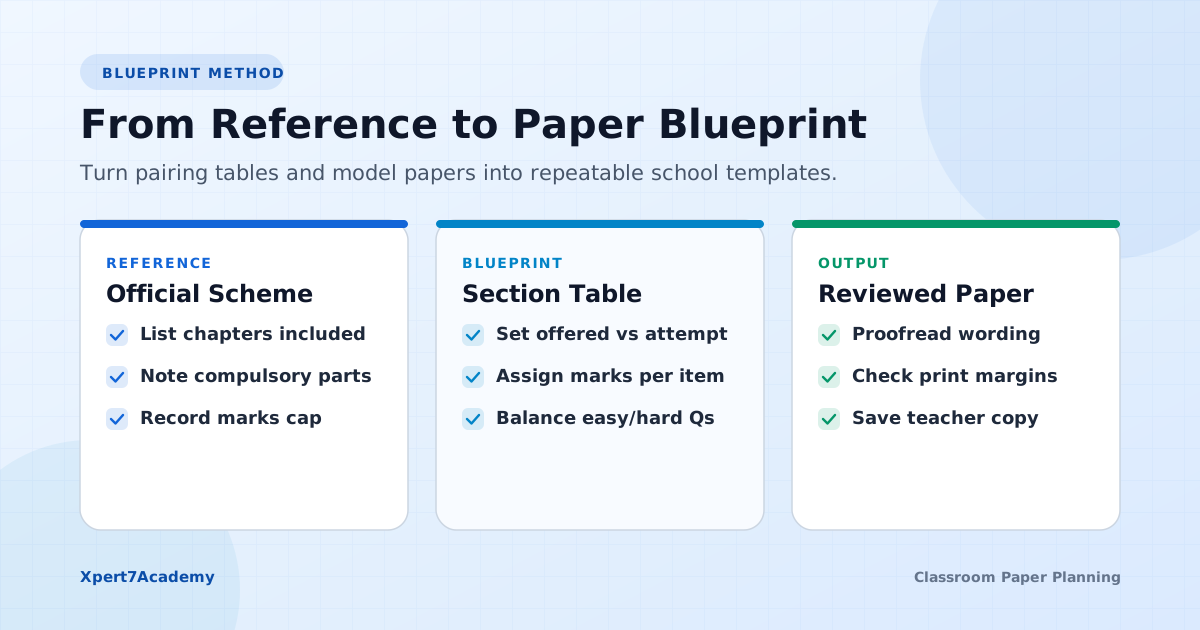
Use one row per section or required task. Write down the question type, chapter or outcome, offered quantity, attempted quantity, marks per response and choice rule. Add a final column for the selected question. An empty cell makes a missing requirement visible before the paper looks finished.
For a classroom example, suppose a short-answer section offers eight questions and asks students to attempt six, at two marks each. The attempted section total is twelve marks. The sheet still needs eight suitable offered questions. This is an arithmetic example, not an official subject pattern.
Use the free paper marks calculator to check those totals, then compare the result with the instructions you plan to print. If students can choose among mixed-mark questions, calculate the allowed routes rather than assuming every route produces the same total.
Review the question, not just its chapter label
Two questions from the same topic can ask for very different work. One may ask students to name a rule; another may ask them to apply it to unfamiliar information. Read the command word, expected response and marking notes before deciding that a question satisfies your blueprint.
Check diagrams, units, options and the language version too. A correct chapter balance cannot repair a missing label or an MCQ with two reasonable answers. Keep a separate list of gaps instead of filling the last spaces with unrelated questions.
Use Xpert7Academy to assemble the reviewed draft
Choose the book, chapters, topics and question types in the studio. Manual question selection lets you inspect individual items. Balanced random selection gives you a draft spread across the available selected groups. Neither workflow automatically certifies a pairing scheme or SLO distribution.
Set section quantities, choices and marks from your checked blueprint. Add the header and answer-writing space, then compare the preview with the requirements row by row. Keep the teacher answer copy separate when printing the student paper.
Make the last review easy for another teacher
Keep the source reference and final blueprint with the draft. When you reuse the paper, repeat the applicability check. Find the main official starting points in our exam resources directory.
- The source document matches the class, subject and applicable cohort.
- Every required section and learning outcome has a suitable question.
- Compulsory tasks and optional choices are unambiguous.
- Attempted marks agree with the header and marking notes.
- Language, diagrams, page breaks and answer space work in the saved PDF.
Start with a small paper.
Try the full Automated Test Generation free for 10 days after signup.
Saving and customization are included in the demo. Continue afterwards with Rs. 3,000 for 3 months (orig. Rs. 4,500), Rs. 5,000 for 6 months (orig. Rs. 7,000), or Rs. 7,000 for 1 year Full Session (orig. Rs. 10,000).
Before choosing questions, check your section marks with the free planner. It accounts for optional questions as well as compulsory ones.