
English and Urdu question papers: a practical printing guide
Prepare readable English, Urdu and dual-medium question papers. Check language availability, Urdu letters, diagrams, answer space and PDF pages before printing.
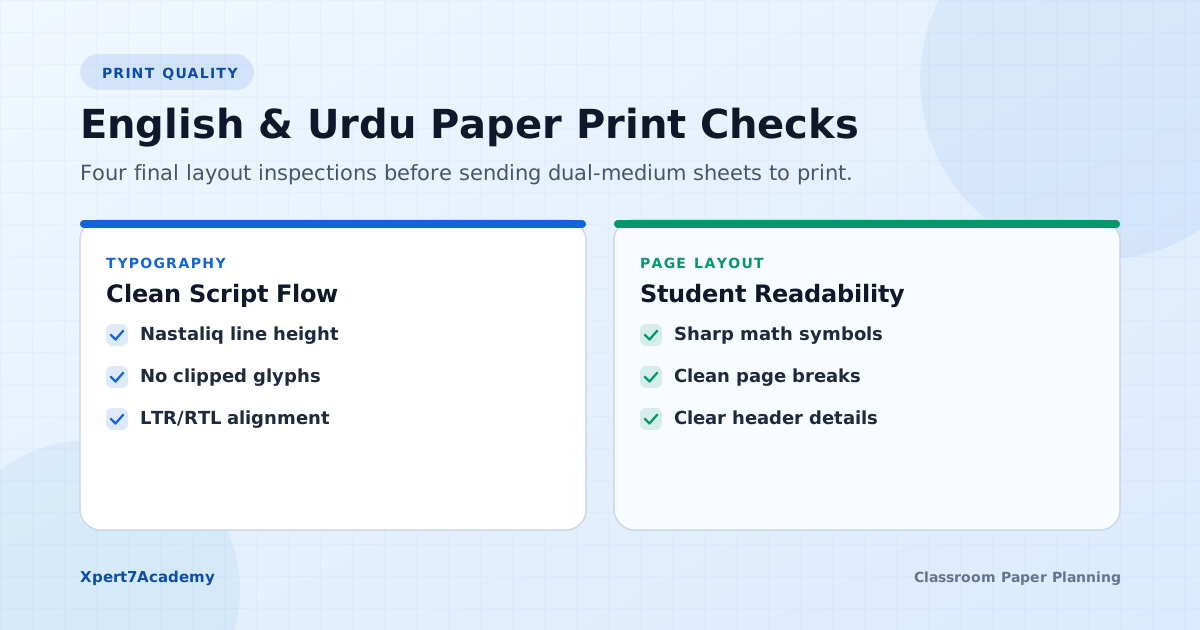
An Urdu paper can look comfortable on a wide monitor and crowded on an ordinary sheet. A bilingual paper can become too long even when each question seems short by itself. The solution starts before printing: choose the right medium, inspect the available wording and give each question enough room. A few specific checks help students spend their effort on the subject rather than on reading the page.
Choose the language your class needs
Xpert7Academy provides English, Urdu and dual-medium controls where the selected questions support them. First choose the correct curriculum and book in the public book directory, then inspect the actual questions in the studio. The existence of an Urdu or English subject entry does not mean every question in every book is stored in both languages.
For a single-medium class, one clear version may be easier to read than two versions on the same sheet. Use dual medium when it helps the assessment you are preparing and is permitted by your school’s requirements. Confirm the rules separately for examination practice. The language options in a paper maker do not determine which languages an examination authority permits students to use.
Read both versions before keeping a bilingual question
Check that the two versions ask for the same action. “Explain” and “name” call for different responses. Make sure numerical values, units and mathematical signs agree, and that an option in one language still corresponds to the same option in the other. When a version is missing or unclear, choose another suitable question or use a medium you can verify.
In manual question selection, browse a topic before committing your questions. That is useful when you want to review language and diagrams closely. A random draft can also work, but it still needs this review. Do not assume that selecting a different medium automatically translates or repairs the stored wording.
Give Urdu joined letters enough vertical space
Use the available Urdu font settings and inspect the final size. Joined letters, dots and vowel marks need to remain distinct. Compare a dense paragraph with a short question: a setting that suits the short question may make a long passage difficult to read. Do not shrink the whole paper simply to force it onto one page.
Our primary Urdu paper guide covers familiar instructions and answer space for younger learners. For older classes, the same reading check matters, but the subject vocabulary may need more careful review. Keep question numbering and punctuation separate from nearby text where direction changes could make the order confusing.
Check equations, diagrams and options together
Inspect fractions, powers, subscripts and chemical notation at the print size you will use. A small exponent can change the meaning of a question if it is hard to see. Check every diagram label, then check the question that refers to it. A diagram on a different page can make a straightforward task awkward to answer.
For MCQs, keep the option labels easy to follow in both languages. Make sure an image-based option loads and does not become much larger than the others. If a diagram is unavailable, resolve it or select another question before handing out the paper. Review stored answers separately; attractive formatting does not establish that an answer key is complete or academically correct.
Match answer space to the response
A definition may need a few lines. A calculation may need a clear block of working space. A diagram question may need unruled space rather than writing lines. Add answer-writing lines where they help and choose a line style that remains readable without competing with the question text.
When planning a chapter-wise test, allow time and space for reading as well as writing. If students use a separate answer sheet, say so in the instructions. Check that the total marks, choice rules and answer space all describe the same assessment. A blank line should not imply a one-word answer when the question asks for an explanation.
Review the saved file, then print one copy
Use Print and choose Save as PDF if your browser supports it. Open the saved file and review each page: header, question numbering, page breaks, diagrams and final lines of Urdu text. Confirm the selected paper size and margins in the print dialog. Printer settings can affect the result, so inspect one physical copy before printing a class set.
If you are preparing Federal material, use the Federal workflow guide for the book and assessment checks too. The 10-day demo includes customization, saving and printing, so you can test a realistic bilingual section before subscribing. Keep the settings that work for your class and review again whenever the content or page layout changes.
Start with a small paper.
Try the full Automated Test Generation free for 10 days after signup.
Saving and customization are included in the demo. Continue afterwards with Rs. 3,000 for 3 months (orig. Rs. 4,500), Rs. 5,000 for 6 months (orig. Rs. 7,000), or Rs. 7,000 for 1 year Full Session (orig. Rs. 10,000).
Before choosing questions, check your section marks with the free planner. It accounts for optional questions as well as compulsory ones.